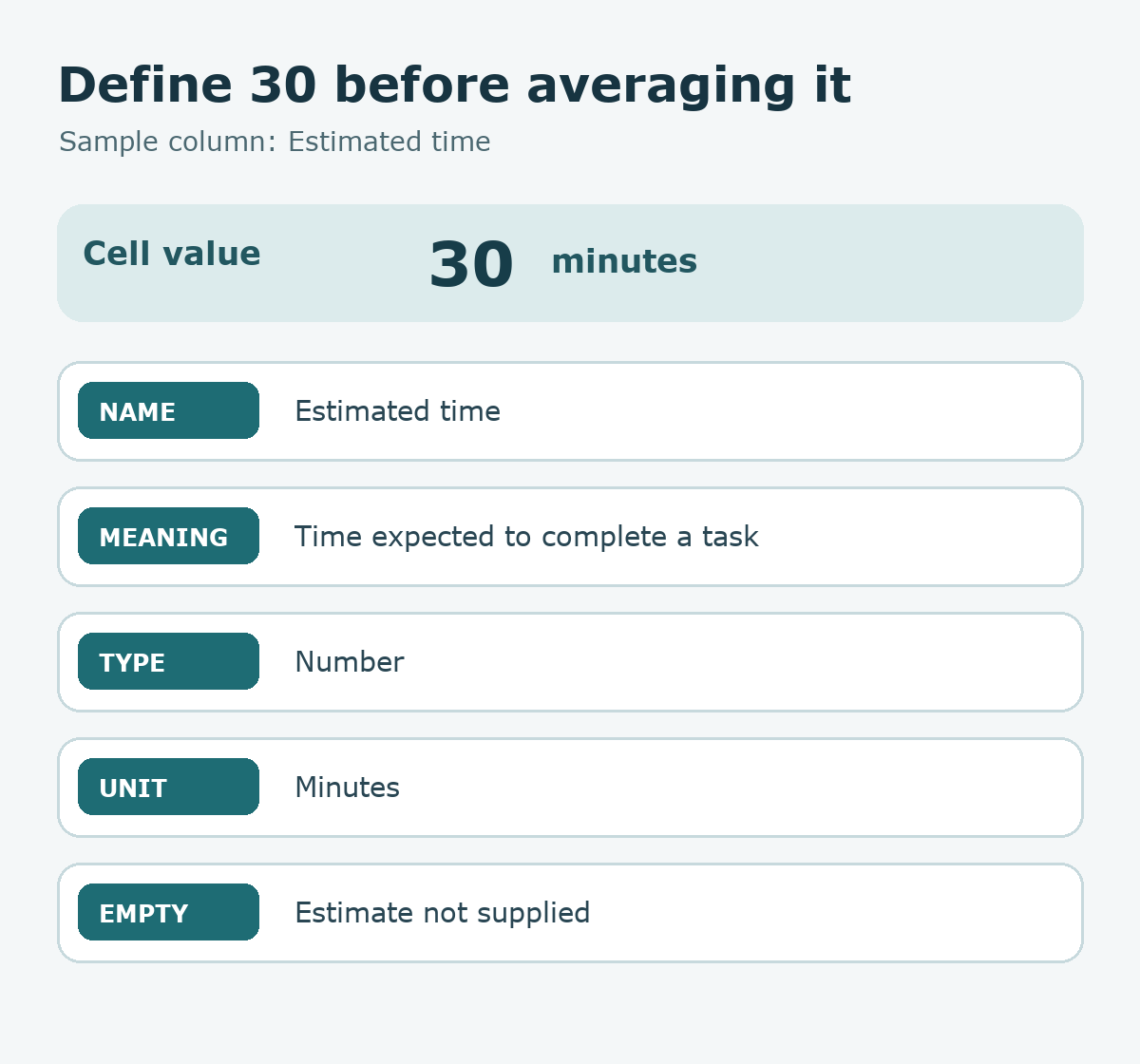
Quick answer: Before asking an AI assistant to summarize a spreadsheet, describe each column with five pieces of information: name, meaning, data type, unit or format, and the meaning of an empty cell. This small dictionary keeps a number such as 30 from being read as minutes in one report and hours in another.
The sample below is a fictional task sheet. It contains no work records from a real team and no measurements from a live spreadsheet. Its definitions are examples to agree on before using calculations or summaries.
Write a dictionary next to the table
| Column | Meaning and format | Empty cell means |
|---|---|---|
| Task | Short text naming one task | Name still needed |
| Target date | Planned finish date, YYYY-MM-DD | Not scheduled |
| Estimated time | Number of minutes | Estimate not supplied |
| Status | Planned, In Progress, or Done | Status not selected |
| Completed date | Actual finish date, YYYY-MM-DD | Not yet completed |
For this sample, an Estimated time value of 30 means 30 minutes. A blank cell means the estimate is not available; 0 is a separate value and should be used only if the team defines what zero means. Similarly, Target date and Completed date have different purposes even though both look like dates.
Ask questions before filling gaps
A header such as “Amount” is not enough to establish currency or scale. Does 50 mean 50 won, 50 thousand won, or another unit? A “Progress” value might be a percent from 0 to 100 or a fraction from 0 to 1. The dictionary should record the chosen interpretation and a question for anything that cannot be inferred from a header and a few example rows.
Using only these column headers and fictional rows, draft a column dictionary. For each column, list its meaning, data type, unit or format, allowed values, and what an empty cell means. Put unanswered questions in a separate section. Ask about number units and the date basis first. Do not edit the source sheet or fill blank values. Label every suggested definition as a proposal until the table owner confirms it.
Let the definitions guide later calculations
Once the table owner confirms the dictionary, decide which rows an average or total includes. If estimated time is blank for a task, a summary should state how that task is handled. For a weekly “Done” count, define the start and end of the reporting week and which date field qualifies a row. Updating a dropdown choice without updating its dictionary definition can leave collaborators using different meanings for the same label.
Before sharing, give two readers the same example row and ask them what 30, a blank Completed date, and Done mean. If their answers match the dictionary, the descriptions are ready for a broader review. Keep fictional examples clearly separate from the actual sheet, and provide only information that the team permits an external tool to process.
Try it: Choose one numeric column and one date column in a table you use. Write the unit and empty-cell meaning for both. The diagram below shows the five questions a column dictionary should answer.
Read the Korean edition of this article.


댓글