Quick answer: Define which notes go into the export, choose one file format, and make the user check the downloaded file. A browser starting a download and a person opening a usable file are different milestones.
This is a proposed first version of a fictional web notes app. It describes expected behavior for a feature that has not been implemented or tested. The example uses JSON because the app may later need to read the same fields back.
Choose the audience and scope of the file
Plain text is convenient for reading, CSV suits tabular rows, and JSON can preserve named fields and nested note data. For this example, the button says “Export 3 active notes as JSON.” The count should come from the items that will actually be exported. Decide explicitly whether the export follows the current search results or all active notes. Here it includes all active notes and excludes both removed notes and account details.
| Item | In this example? | Reason |
|---|---|---|
| Active note title and body | Yes | Core content to keep |
| Note ID and modified time | Yes | Support later identification |
| Removed notes | No | Outside the chosen scope |
| Account and sign-in data | No | Not needed for the notes file |
Give the file a small, documented shape
At the top level, include a format version, the export time, and a notes array. Each note can include an ID, title, body, and last-modified time. Distinguish the file creation time from the time a note was edited. Decide which time zone the timestamps and file name use, and document that choice. A version number is useful when a later app release changes the file structure.
For a zero-note case, an empty notes array makes the result clear. Tell the reader that zero active notes were selected before creating the file. For text containing Korean characters, line breaks, and quotation marks, inspect the final file after serialization so every character can be checked.
Ask an AI assistant for the complete flow
Design JSON export for a web notes app. Include all active notes, excluding removed notes and account details. Specify format version, export time, and a notes array with ID, title, body, and modified time. Show the exact scope and count before download. Handle zero notes, Korean text, line breaks, and quotation marks. Distinguish preparing file data, starting a browser download, and confirming the downloaded file by opening it. Ask which time zone and file naming rule to use. Describe device storage as confirmed only after the downloaded file is checked.
Verify the file after using the button
In a browser implementation, a Blob can hold the JSON text and URL.createObjectURL() can provide a temporary address for a download link. When the app no longer needs that address, URL.revokeObjectURL() releases it. The lifecycle should follow the actual browser flow; an object URL is a temporary reference and the downloaded file is the artifact to inspect.
For a test, create three fictional notes, including one Korean title, a multi-line body, and a quotation mark. Use the button, check the browser download list, open the downloaded file, and compare the count and each field with the app. Also test zero active notes and confirm that removed notes are outside the chosen export scope. If import is built later, restoring notes from the exported file is a separate test.
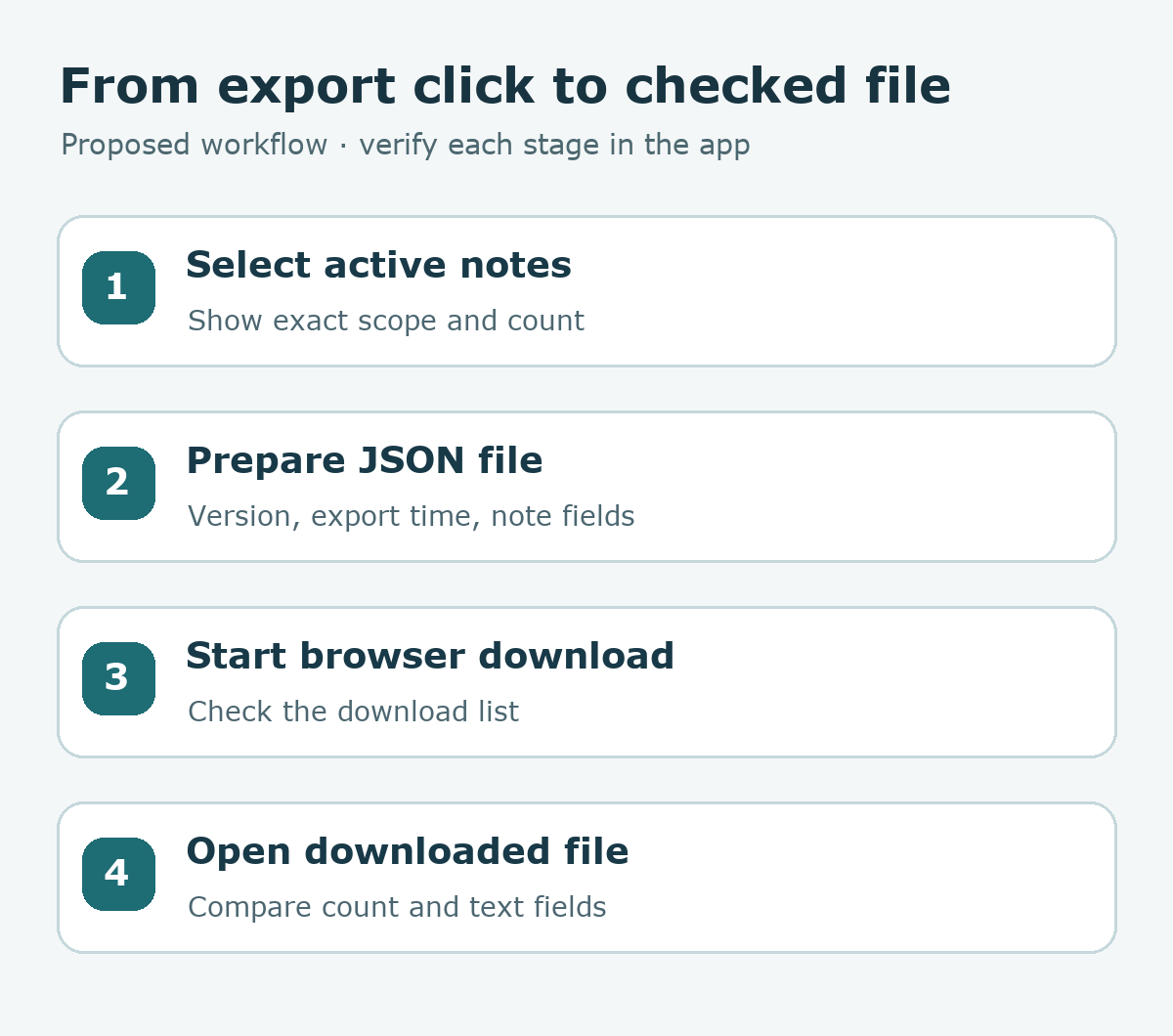
Try it: Write down the exact export scope and file fields before asking for code. The diagram below separates selected notes, file preparation, browser download, and file inspection.
Technical references: MDN, blob URLs and MDN, revokeObjectURL() (checked 2026-09-23). Read the Korean edition of this article.


댓글