A notes app can add an item and show it on screen, yet still need a storage decision. Should that item return after a page refresh in the same browser? Should it appear on another device after sign-in? Those are different promises. Choose the user scenario first, then ask AI to build the simplest storage behavior that matches it.
This guide uses a fictional grocery-note app for personal practice. It describes design and test steps, not a verified deployed application.
Write the storage promise in one sentence
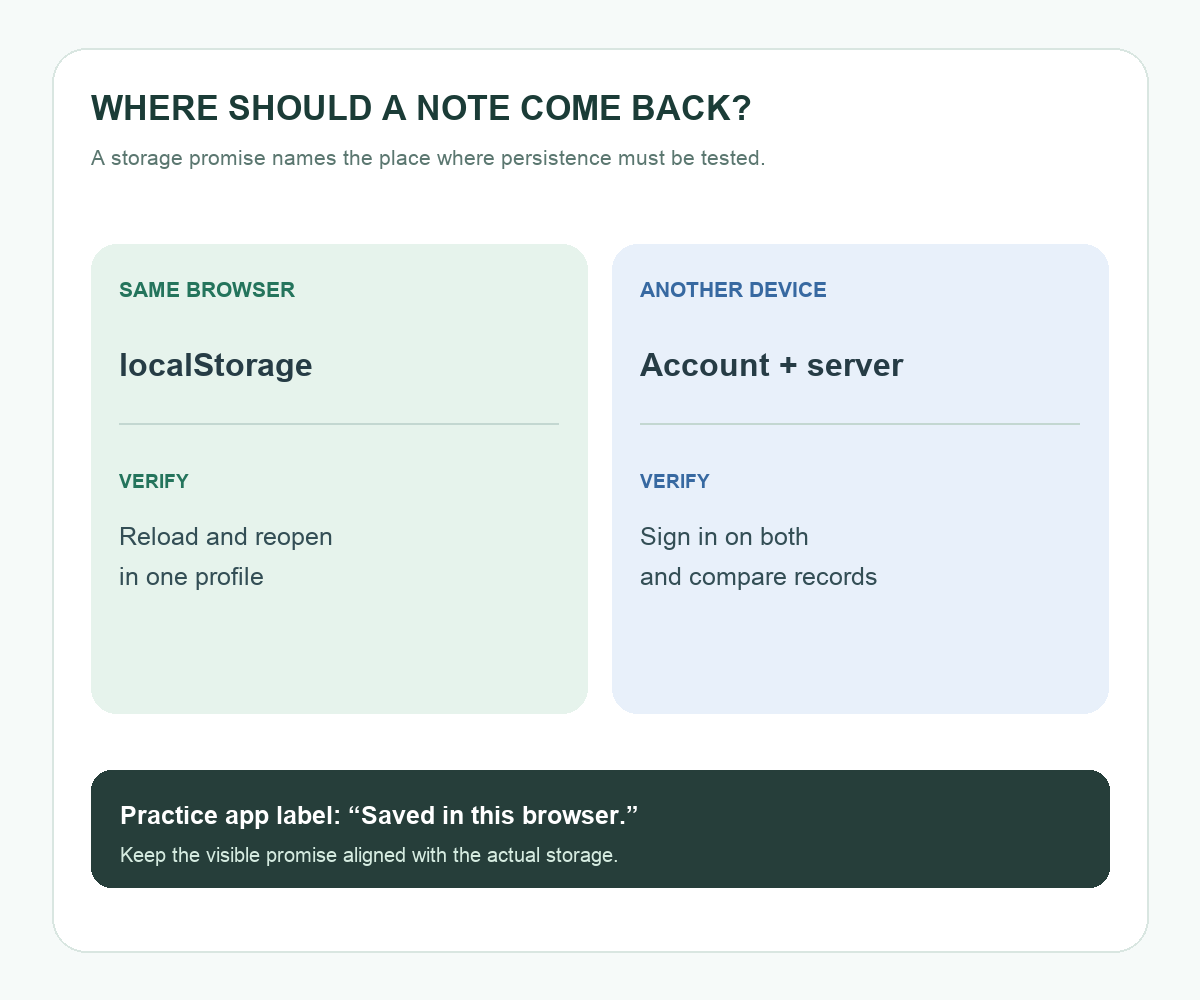
For a one-device exercise, the promise might be: “I can reopen this site in the same regular browser profile and see my grocery notes.” A cross-device product needs a different promise: “I can sign in on my phone and laptop and see the same list.” The second scenario introduces accounts, a server-side data store, sync behavior, and decisions about access. A browser-only prototype cannot satisfy that promise by itself.
| User scenario | Possible storage approach | What to verify |
|---|---|---|
| Same browser after refresh | Browser local storage | Reload and reopen in that profile |
| Another browser or device | Account-linked server storage | Sign in on both and compare records |
| Temporary session data | Session-scoped storage | Check behavior after the session ends |
These are design categories, not interchangeable features. For the practice app below, choose the first row and put its limit on the screen: “Saved in this browser.” That short message helps a reader understand why opening a different device may show a separate list.
Understand what localStorage can and cannot promise
The browser's localStorage stores string key-value data for the site's origin across regular browser sessions. It can support a small personal practice app, but browser settings can restrict storage and the user can clear site data. In private browsing, data is cleared when the last private tab closes. The app should handle an unavailable or full storage area with a visible message and retain the current on-screen input for the user to copy or try again.
For simple notes, serialize the list to a string when saving and parse it when loading. Give each item a stable identifier so “mark complete” and “remove” apply to the intended row even when two notes have identical text. Keep passwords, tokens, and sensitive personal information out of this exercise. For a production app, storage, privacy, backup, and account design need their own review.
Give AI a behavior contract
Build a small grocery-note web app for one person's practice in one regular browser profile. Support adding a note, marking it complete, and removing it. Save the list in localStorage and restore it on page load. Show “Saved in this browser” near the list. If browser storage is unavailable, explain that the current list is only on screen and keep the entered notes visible. Do not add an account or claim cross-device sync. Give me the run steps and a test table for add, refresh, reopen, complete, remove, and duplicate note text.
The instruction names both the happy path and the storage boundary. If the generated code uses a different storage mechanism, ask for a revised implementation or change the on-screen promise to match what it actually does.
Test persisted state, not only the save message
Add two notes, including two with the same wording. Mark one complete and refresh. Confirm which item remains complete. Remove the other and reopen the page in the same browser profile. Compare the list with the expected state. Then open a private window to observe its separate storage behavior, and close the private session before treating it as a persistence test. Record expected and observed results side by side.
Try it: Write your app's one-sentence storage promise and run the refresh check. If the result differs, adjust the storage behavior or the promise before adding more features. The diagram below maps each promise to the place where its saved record must be checked.
Read the Korean edition of this article.


댓글