A book-log app may have only three fields, yet each field asks for a small decision: what value belongs here, when can it be saved, and what guidance appears if it needs attention? Defining those decisions before asking AI to write code gives you a screen you can test with real inputs. This tutorial uses a fictional reading log; every length and date rule below is an example to adapt to your app.
Write the field contract first
Suppose a reader records a book title, the date they finished reading, and an optional note. Decide whether spaces around a title are trimmed, whether future dates make sense, and how long a note may be. A visible label should remain available even after someone starts typing. Placeholder text may offer an example, but it does not replace the field name.
| Field | Example rule | Visible guidance | Boundary case |
|---|---|---|---|
| Book title | Required; trim outer spaces; 1–100 characters | Enter a book title | 100 and 101 characters |
| Date read | Required; today or earlier | Choose the date you read it | Today and tomorrow |
| Short note | Optional; up to 200 characters | Add a sentence to remember | Empty and 200 characters |
The date rule fits a completed-reading log. An app that also tracks planned reading would need a separate status or a different date rule. Write this purpose beside the field contract so a future change can be discussed with a concrete example.
Give the browser and the server distinct jobs
HTML form controls can mark fields as required and constrain text length. The browser can show a message near the field while the person still has the rest of the form in view. When an app sends data to a server, the server must also check the received values before saving them. The browser helps someone correct an entry; the server applies the app's storage rules to the received request. See MDN's form-validation guide for the underlying HTML features and the reason to validate on both sides.
For this example, trim the title first and then measure the result. If the input is spaces only, show “Enter a book title” next to the title field. If a note is over the chosen limit, say “Use 200 characters or fewer.” Keep the other entered values on screen so the reader can adjust one field and try again. Pair any color cue with words, since the message carries the next action.
Ask AI for a screen that follows the contract
Build a book-log input screen with three labeled fields: book title, date read, and optional short note. Trim outer title spaces and require 1–100 characters. Require a date no later than today. Allow an empty note or up to 200 characters. Put a specific correction message beside each field that needs attention, retain the values in the other fields, and show a clear save result. If you add server storage, apply the same field rules to the received data before saving. Tell me where the field rules live so I can change the limits later.
Review the result against the table instead of judging it by appearance alone. A field may look complete while its save behavior is still unspecified. If the generated app uses a different limit, update the implementation or the contract deliberately and keep both sides aligned.
Try the boundaries, then inspect the saved record
Run at least six checks: blank title, spaces-only title, exactly 100 title characters, 101 title characters, today's date, and tomorrow's date. Then try an empty note and a 200-character note. Record each input, the expected guidance or save result, and the observed result. When a valid entry is saved, open the list and compare its title, date, and note with what you entered. If a server is involved, confirm the saved record through the app's normal view rather than relying on a button message alone.
This is a design and test exercise, not a report of a deployed app. A useful next step is to change one rule—for example, permit planned reading dates—and update the field contract, messages, browser checks, server checks, and test rows together. The diagram below shows how one field rule stays connected from input to saved record.
Read the Korean edition of this article.
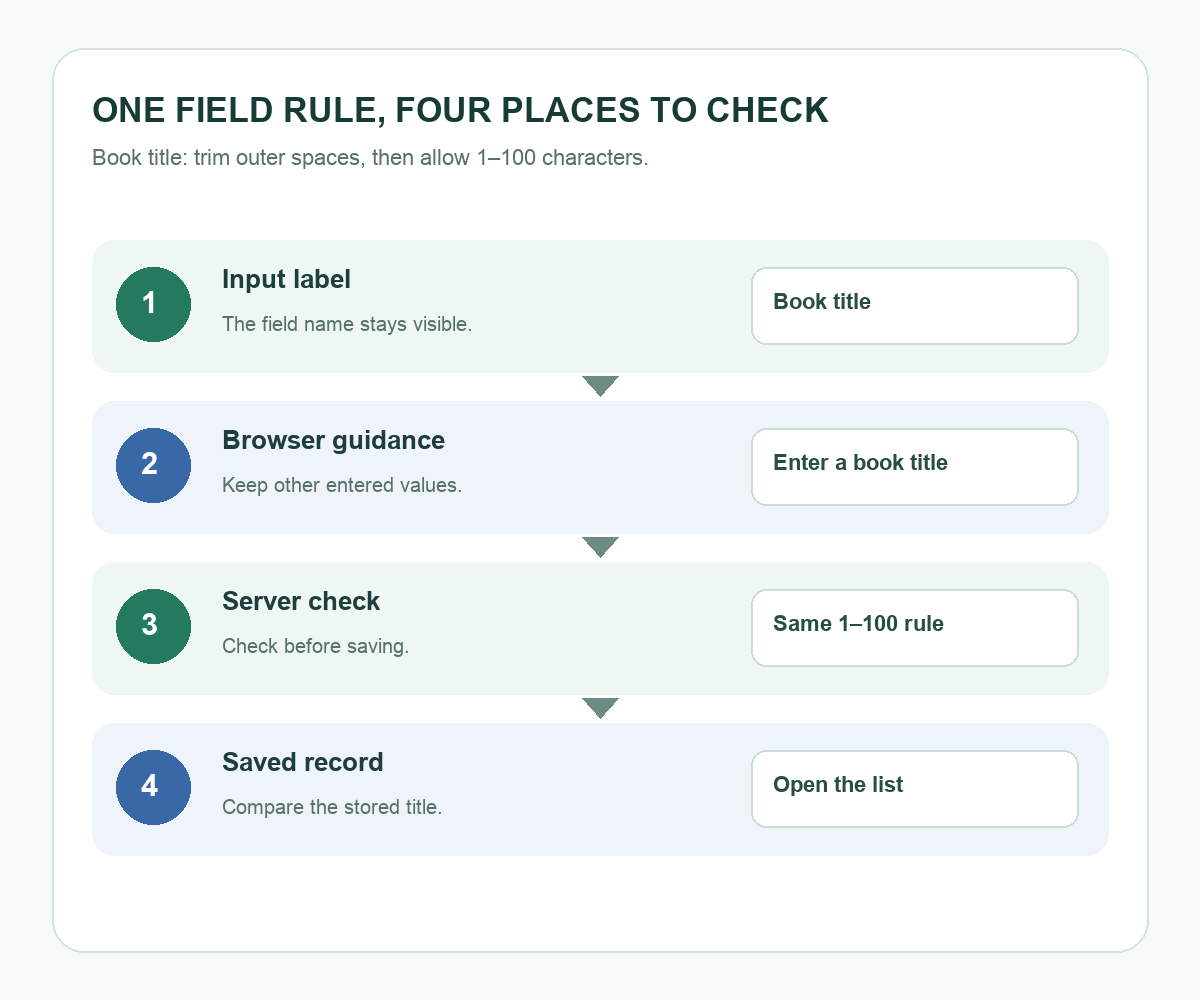
Diagram: one book-title rule stays visible at the input label, browser guidance, server check, and saved record.


댓글