A short summary is useful when it helps you make a decision and lets you return to the exact passage that supports it. For a long course notice, “The session starts Saturday” is less useful than a row that also names the schedule section and page. Ask the AI assistant for the information you need, a source pointer for each item, and a visible place for details the document does not state.
The course and figures in this article are fictional. Use the method on material you are allowed to share, and check the resulting facts against the original document before acting on them.
Begin with the decision, not a request for every detail
Imagine deciding whether to register for a public workshop. Four details matter first: schedule, cost, required materials, and registration method. Define those headings before providing the document. A general “summarize this” request may produce a readable overview but leave the decision fields dispersed across paragraphs. A targeted extraction request makes the output easier to verify.
Read the supplied course notice and make a table with Schedule, Cost, Materials, and Registration. For each row, give the stated value and the section title plus page number where it appears. If there are no page numbers, give the heading and a short phrase that identifies the passage. Write “not stated” for an item absent from the supplied text. Keep different dates or fees in separate rows when they apply to different groups. Say whether you received the full document or an excerpt.
If a document has pages that are images, charts, or complex tables, check whether the assistant could read those parts. A text extraction may reorder a table’s cells or omit text in an image. Keep the original rendered page available for visual comparison, or supply the relevant page separately if the tool supports it.
Build a summary table that can be audited
Decision item | Illustrative summary | Source pointer to inspect
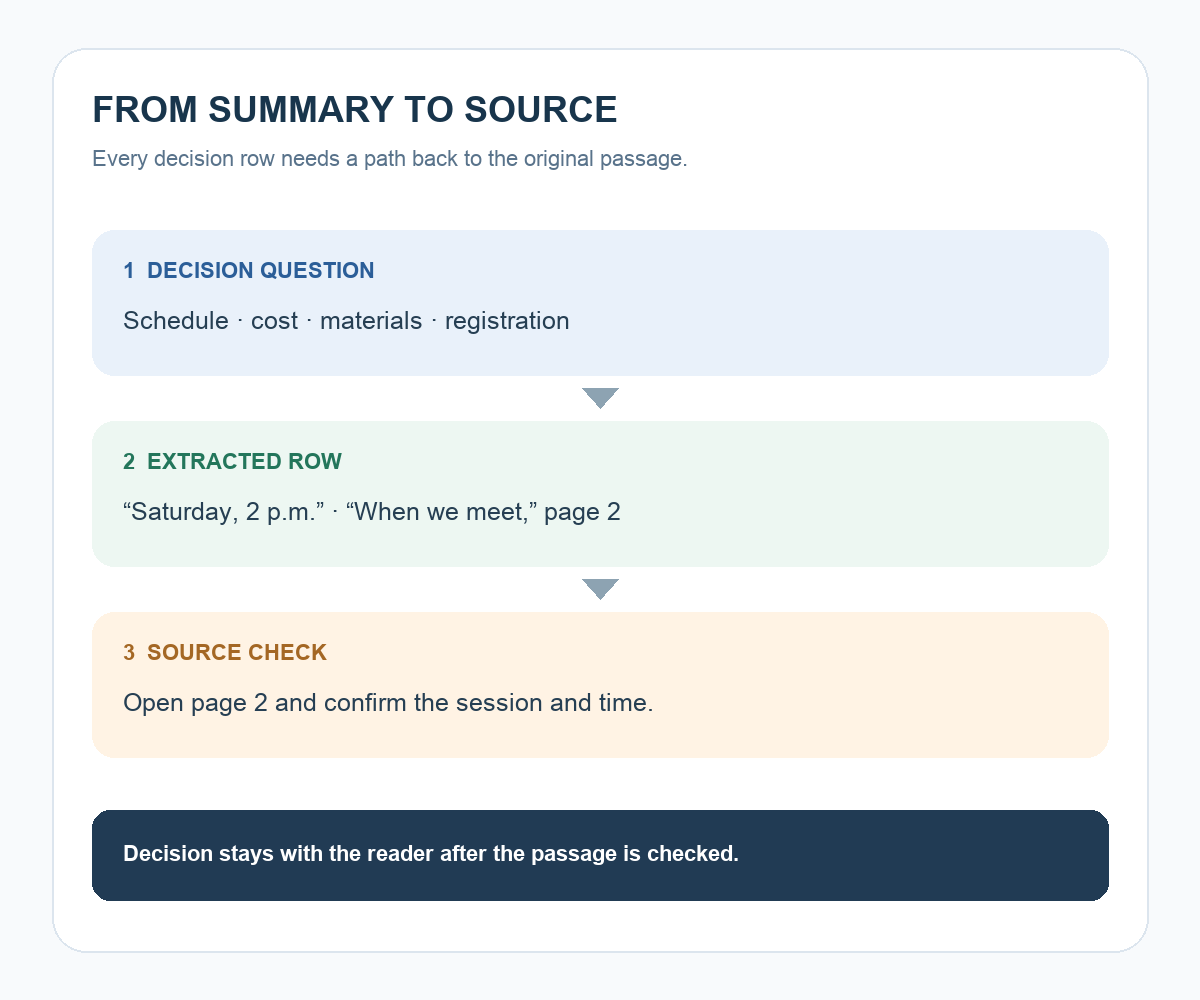
Schedule | Saturday, 2 p.m. | “When we meet,” page 2
Materials | Bring a laptop | “Preparation,” page 3
Registration | Complete the online form | “How to apply,” page 4
Cost | Not stated in supplied excerpt | Check the full notice
These rows demonstrate the format; they are not a real course listing. When you use your own notice, open each cited page. Confirm that a material is required rather than optional, that a date belongs to the right session, and that a fee is labeled correctly. For example, tuition and materials charges should retain their separate names. If you need a total, show the inputs and calculation.
Use a second question for remaining decisions
After the first table, ask: “Which three details should I confirm before registering, and where should I look for each?” If the detail exists in the notice, return to its passage. If it is genuinely absent, write it as a question for the organizer. Keep a missing field visible instead of filling it with an estimated answer.
For a large document collection, search or retrieval systems can help surface candidate passages. Anthropic’s Contextual Retrieval explanation (https://www.anthropic.com/engineering/contextual-retrieval) describes one technical approach to making document chunks easier to find by adding context before search. Finding a passage is still a step before reading and applying it to your decision; the source pointer is your route to that check.
Make one manual comparison before trusting the format
Pick the schedule row and locate it in the original file. Check the section title, page, day, time zone if stated, and intended audience. If the citation points to an adjacent but different course, update the row before sharing. Then repeat for the other decision items. This deliberate check turns a summary into a working reference instead of a stand-alone claim.
Try it: Choose a shareable three-page notice, extract four decision items, and audit one row end to end. The diagram below shows the route from question to source-backed row to a decision you can make yourself.
Read the Korean edition of this article: https://codinghero.tistory.com/455


댓글