Quick answer: Define what the remove action does to a note, which data it preserves, and how the user can restore the same note. In this example, removal changes the note's status and moves it to a recovery area. An immediate Undo action and a later Restore action both return that same identified note to the active list.
This is a design exercise for a fictional personal notes app. Its behavior is a proposed specification, not a result from a running product. The scope is one user and one device; synchronization across devices needs its own policy.
Choose the meaning of removal
Hiding a note from the current list, moving it to a recovery area, and permanently erasing it are distinct operations. For the first version, choose a recoverable move. Label the confirmation message “Moved to recovery area” so the wording matches the data operation. Decide whether the note remains searchable in the active list and where the recovery area is opened.
The note needs a stable identifier independent of its title. Two notes can share a title, and a title can change. A restore action should refer to the identifier of the moved note rather than selecting by visible text alone. Keep the title and body, the previous category, and any ordering information needed to place it back consistently.
Separate the immediate and later paths
| Path | When it is used | Expected state |
|---|---|---|
| Undo | Immediately after moving a note | Same note returns to active list once |
| Restore | Later, from recovery area | Same note returns to active list once |
| Refresh | After the move or restore | Stored status remains consistent |
The short on-screen Undo message and the time for which the note remains recoverable are separate choices. A message can disappear while the recovery area continues to hold the note. Set any retention period through the app's product policy rather than copying the duration of a temporary notification.
Specify the state transition
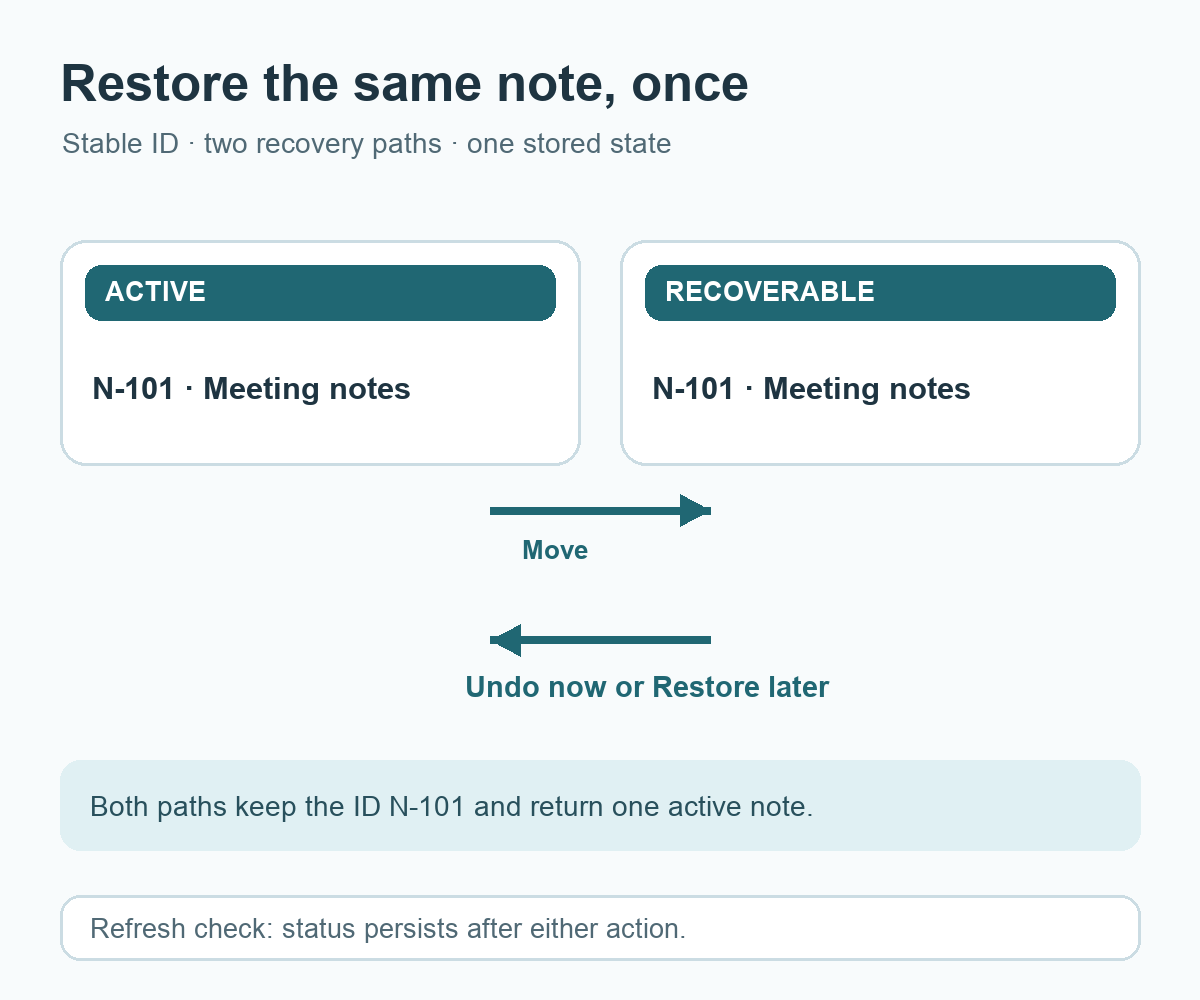
Represent each note with a stable ID and a status such as active or recoverable. On removal, set the selected ID to recoverable and record the move time if the product needs it. On Undo or Restore, set that same ID back to active. Do not create another note with a new ID as a side effect of restoring. The active and recovery lists should derive from that single state, so the same ID appears in one place at a time.
Add a recoverable move to the notes app. The Remove control changes only the selected note's status and shows an Undo action. The recovery area lists moved notes and provides Restore. Preserve each note's ID, title, body, and category. Undo and Restore return the same ID to the active list exactly once. Keep the stored status after a page refresh. Leave permanent erasure and automatic retention outside this version. Show the action wording that matches the stored state.
Check with two notes that share a title
Create practice notes N-101 and N-102, both titled “Meeting notes,” with different body text. Move N-101 and confirm that only its body disappears from the active list. Use Undo and confirm N-101 returns once while N-102 remains unchanged. Move N-101 again, refresh, then restore it from the recovery area. Confirm the two IDs are active and neither is duplicated. Repeat with N-102 to confirm the selection does not depend on title text.
If a later release synchronizes across devices, specify how edits and restores arriving in a different order are resolved. Keep that as a separate design decision. The checks above describe expected behavior for the fictional example; they are not evidence that a particular app passed them.
Try it: Draw one note moving between active and recoverable states, then write the two restore paths beside that transition. The diagram below shows the intended state flow.
Read the Korean edition of this article.


댓글